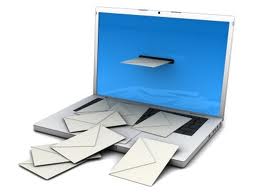
Managing email communications: Winning the battle … losing the war?

many emailsHere’s a statistic that won’t come as a big surprise to many office workers … but it still looks pretty stark when you see it on the page:  According to research by McKinsey Global Institute, knowledge workers, including managers and professionals, spend nearly 30% of their work time managing e-mail communications.

This means that for a typical 50-hour work week, a total of 15 hours are sucked up in the e-mail vortex.

It’s nothing new, of course.  And for years, companies and individuals have been making efforts in big and small ways to manage their e-mail.

One method has been through the use of IM social collaboration platforms, but that solves only some of the problem.

Other methods include aggressive pruning of spam mail … sending unsubscribe notices … and tightening incoming mail filters.

e-mail inboxBeing more aggressive with e-mail unsubscribe requests can lighten the inbox, but other pruning efforts can sometimes be counterproductive, with “good” e-mails getting sent to junk e-mail folders, thereby requiring workers to scan those inboxes every day as well.

Another popular e-mail management technique can work at cross-purposes, too.  Research by Carnegie Mellon Institute has found that about a third of office workers file their e-mail messages into folders right after they’ve been read.

But according to Alex Moore, who heads up e-mail management service Baydin, Inc. creating files associated with different clients, projects or people turns out to have its own inefficiencies when searching for e-mail messages later.

It seems counterintuitive, but searching for older e-mail correspondence is often easier to do when using a single chronological file coupled with a search function, because it’s just one search instead of potentially many.

inbox managementSpeaking as someone who receives around 200 e-mail messages each business day, give or take, I find that the following strategies work best for me:

  • Unsubscribing – as best as possible (even with the shortcomings of attempting to do so)
  • Keeping my settings so that e-mail messages download every 20 minutes instead of right away
  • Aside from important client messages, “batch-processing” e-mails just four times each business day: early morning, late morning, mid-afternoon, and end-of-day

Adopting these practices makes it easier for me to concentrate on my other work tasks, keeping those Job 1 and relegating e-mail management to being “ornaments on the tree” rather than the tree itself.

If other readers use particular e-mail management techniques and tactics that are effective for them, let’s hear about them.  Please share your thoughts below.

E-mail response time expectations: “The faster the better.”

e-mail inbox managementEver since the advent of e-mail communications, there’s tended to be a feeling that correspondence sent via this mode of delivery is generally more “pressing” than correspondence delivered the old-fashioned way via postal mail.

After all, people don’t call postal mail “snail mail” for nothing.

At the same time, one would think that the proliferation of e-mail volumes and the today’s reality of groaning inboxes might be causing an adjustment of thinking.

Surely, most of the e-mail doesn’t need a quick response, does it?

If 80% or more of today’s e-mail is the equivalent of the junk mail that used to fill our inbox trays in the office in the “bad old days,” why wouldn’t we begin to think of e-mail in the same terms?

But a new survey of workers appears to throw cold water on that notion.

The survey of ~1,500 adults was conducted by MailTime, Inc., the developer of a smartphone e-mail app of the same name.  The survey found that a majority of respondents (~52%) expect a response to their work-related e-mail communiqués within 24 hours of hitting the send button.

Moreover, nearly 20% expect a response in 12 hours or less.

While the survey encompassed just users of MailTime’s app, the findings are likely not all that different for office workers as a whole.

Why is that?  I think it’s because, in recent years, the e-mail stream has become more “instant” rather than less.

Back in the early days of e-mail, I can recall that many of my work colleagues checked their e-mail inboxes three times during the day:  early in the morning, over the lunch hour, and as they were wrapping up their workday.

That’s all out the window now.  Most people have their e-mail alerts set for “instantaneous” or for every five or ten minutes.

With practices like that being so commonplace, it’s little wonder that people expect to hear a response in short order.

And if a response isn’t forthcoming, it’s only natural to think one of three things:

  • The e-mail never made it to the recipient’s inbox.
  • The recipient is on vacation, out sick, or otherwise indisposed.
  • The recipient is ignoring you.

I think there’s an additional dynamic at work, too.  In my years in business, I’ve seen e-mail evolve to becoming the “first line of contact” — even among colleagues who are situated in the same office.  Younger workers especially eschew personal interaction — and even phone contact — as modes of communication that are needlessly inefficient.

Of course, I can think of many instances where e-communications can actually contribute to inefficiencies, whereas a good, old-fashioned phone call would have cut to the chase so much more easily and quickly.

But even with that negative aspect, there’s no denying the value of having a record of communications, which e-mail automatically provides.

And here’s another thing:  MailTime estimates that around two-thirds of all e-mails are first opened on a smartphone or tablet device — so message deliverability is just as easy “on the go” as it is in the office.

It’s yet another reason why so many people expect that their communiqués will be opened and read quickly.

I agree that e-mails are easy and convenient to open and read on a mobile device.  But sometimes the response isn’t nearly so easy to generate without turning to a laptop or desktop computer.

So as a courtesy, I’ll acknowledge receipt of the message, but a “substantive” response may not be forthcoming until later.

… And then, when others don’t show a similar kind of courtesy, I think many of us notice!

Some larger companies with employees who are more geographically far-flung have actually adopted guidelines for e-mail etiquette, and they’ve applied them across every level of the company.

It seems like a good idea to get everyone’s expectations on the same page like that.

Incidentally, the preferred scenario for responding to personal e-mails isn’t really all that different from work-related expectations, even though personal communiqués aren’t usually as time-sensitive.  Respondents in the MailTime survey said that they expect to receive a response to a personal e-mail within 48 hours.  For nearly everyone, waiting a week is far too long.

Right on Cue: More insights into e-mail engagement.

Groaning e-mail inboxes
According to Cue’s 2012 user statistics, on average, people receive more than six e-mail messages for every one that they send.

As if we needed any more proof that people are getting more and more e-mails — and reading fewer and fewer of them — along comes some aggregated data that confirm our beliefs.

Cue (formerly known as Greplin) is a mobile app for organizing and searching online data across a variety of functions such as e-mail, cloud storage and online calendars.

Because of the large number of people who use the app, Cue has amassed huge amount of data when it comes to knowing users’ online activities.

Earlier this month, Cue released some anonymized aggregate data gleaned from a cross-selection of app users. Some of the interesting findings from that study, which covered all of 2012, include these “factoids”:

  • Average number of e-mail words written per person: ~41,400
  • Average number of e-mail messages sent: ~870
  • Average number of e-mail messages received: ~5,600

With over six times the number of e-mail messages received compared to sent, it’s no wonder people are busily trashing e-mails right and left with nary a glimpse at them.

Not only that, users are becoming slower in responding to the e-mails that they do read. In 2012, the average length of time for response was ~2.5 days, compared to ~2.2 days in 2011.

But more than half of all e-mail responses happened within the first hour – and nearly 90% within 24 hours. This means that the other ones were responded to a really long time afterward in order to result in the 2.5-day average.

There were some other interesting tidbits Cue gleaned from its user analysis. For instance, “dogs” topped the list of most-mentioned animals; they were mentioned 38% of the time versus 32% for cats and just 19% for fish.

And in terms of swear words – what everyone wants to know even if they won’t admit it – the “S” word outscored the “F” word by ~43% to ~39%, with the “D” word bringing up the rear at just ~18%.

[Come to think of it, wouldn’t it have been more apropos if the “S” word was bringing up the rear?]

Goodbye Hotmail … Hello Outlook

Hotmail becomes OutlookMicrosoft has finally bitten the bullet and acknowledged the catch-up ball it needs to play in the e-mail space.

Last week, Microsoft announced that it’s unveiling a completely revamped version of its Hotmail free online e-mail service.

Dubbed “Outlook” in a bid to transfer some of the goodwill from Microsoft’s popular Office email application to the free e-mail space, the successor product to Hotmail incorporates functionalities designed to make it more directly competitive with Google Gmail, which has been growing by leaps and bounds in recent times.

You may not realize it from the persistent dearth of industry press coverage about Hotmail, but it’s actually held the rank of the world’s largest online mail service, owning more than a third of the world market share (~325 million users), according to June 2012 reporting from cyber-statistics firm comScore.

But Microsoft’s margin over rivals has shrunk considerably, with Gmail hard on its tail at ~31% market share of users and Yahoo holding a similar percentage (~32%).

It may be surprising to learn that in the ever-changing digital space … but prior to this revamp Microsoft hadn’t updated any of the features or functionality of Hotmail in nearly a decade.

“A lot has changed in the last eight years, and we think it’s time for a fresh look at e-mail,” Chris Jones, a Microsoft exec, stated in a blog post that has to be the understatement of the decade.

Here’s some of what’s in store for users when they switch from Hotmail to Outlook:

  • A clean, uncluttered look – just like Gmail.
  • Tasteful, unobtrusive advertisements appearing in the right column of the screen – just like Gmail.
  • Users can link up with all major social media accounts to view the latest updates from their contacts and friends – just like Gmail.

Is this beginning to sound a bit repetitive?

But there is one feature that may give Outlook a bit of a leg up on its free online competitors: The service will automatically detect mass messages like sales notices, daily deals, newsletters and social updates and place them in separate folders. Users can customize this functionality to sort incoming e-mail any way they wish.

I haven’t used Hotmail in the past … although I might be tempted to consider Outlook now that these newest innovations have been added.

But the long-term success of Outlook – and any free e-mail platform – is going to be how effectively they can connect various online assets together to provide “one-stop convenience” for users.

One thing’s certain: There’s no way Microsoft can let another eight years go by before making more enhancements to its free e-mail service offering, considering the always-aggressive posture of Google and its Olympian competitive spirit.